Best Standing Desks for Home Offices (2026): Height Range, Stability, and the Motor That Dies First
A standing desk is a simple product with a measurement problem: the number that determines whether it works for you is not the one on the marketing page. Height range, stability at full extension, and the duty cycle of the motor decide whether the desk fits your body and survives daily use. Frame thickness and “industrial steel” language decide almost nothing.
Start with your own numbers, not the desk’s
Two heights matter:
- Your seated working height: with feet flat on the floor (or a footrest), shoulders relaxed, elbows at about 90 degrees, the top of the desk should meet your forearms with a slight downward slope to the keyboard.
- Your standing working height: standing with weight even, elbows at 90 degrees, forearms level. This is typically 25 to 30 cm (10 to 12 in) above your seated height.
Measure both with a tape and a temporary stack of books before buying. Then check that the desk covers both with margin, and add the keyboard thickness if you use one — a 3 cm keyboard means you need 3 cm more clearance.
Rough guides by body height:
| Your height | Seated desk height | Standing desk height |
|---|---|---|
| 5’0″–5’4″ (152–163 cm) | 60–64 cm | 88–95 cm |
| 5’4″–5’8″ (163–173 cm) | 63–68 cm | 92–100 cm |
| 5’8″–6’0″ (173–183 cm) | 67–72 cm | 98–108 cm |
| 6’0″–6’4″ (183–193 cm) | 71–76 cm | 105–115 cm |
The number to check first is the minimum height. Many desks bottom out at 72 cm, which is too high for anyone under about 5’8″ to sit at correctly without a footrest. If you are short, the low end of the range matters more than the top.
Stability, which is a geometry problem
Wobble at standing height is not caused by weak steel. It is caused by the design:
- Two-leg versus four-leg. Four legs are dramatically more stable laterally, and heavier. Two-leg frames with a crossbar are the middle ground.
- Column count. A three-stage leg has three telescoping tubes and extends further for the same collapsed height. More stages usually means more play, but a well-machined three-stage leg is fine.
- Extended height ratio. A frame that extends to 125 cm is at its least rigid at 125 cm. Look for a frame rated for your height with margin, not one that reaches it exactly.
- Feet and floor. Wide, flat feet with adjustable glides help; carpet is worse than hard floor for lateral rock.
- Monitor arm. A heavy monitor on a tall arm is a lever. It will amplify any wobble the desk has.
A practical test at a showroom or in a returned unit: put the desk at your standing height, put a full glass of water on it, and type reasonably hard. If the water ripples continuously, that is the wobble you will live with. If you cannot test in person, look for a stability claim that names the height it applies to — “stable to 120 cm” is a specification; “rock solid” is not.
Motors and the duty cycle
Electric desks fail at the control box or the motor, and the number that predicts longevity is the duty cycle — how long the motor can run before it needs to rest.
- Single motor drives both legs through a shared shaft. Cheaper; both legs move together by design.
- Dual motor has one motor per leg, synchronised electronically. Faster, quieter, and can carry more.
- Duty cycle is typically stated as something like “10 percent: 2 minutes on, 18 minutes off.” For a desk that moves twice a day, any duty cycle is irrelevant. For a desk used by two people, or one that moves frequently, it matters.
- Load rating should include the desktop and everything on it. A frame rated 100 kg with a 30 kg top leaves 70 kg for monitors, PC, and clutter.
- Speed of 25 to 38 mm per second is typical. Faster is not better; quieter is.
Memory presets are worth having — they are the difference between a desk you adjust and a desk you leave at one height. Four presets is the practical minimum.
The measurement that decides long-term comfort
A standing desk alone does not fix posture. It changes it. What matters is the ratio of sitting to standing and the variety in between:
- Alternating every 30 to 60 minutes is more comfortable than standing for two hours.
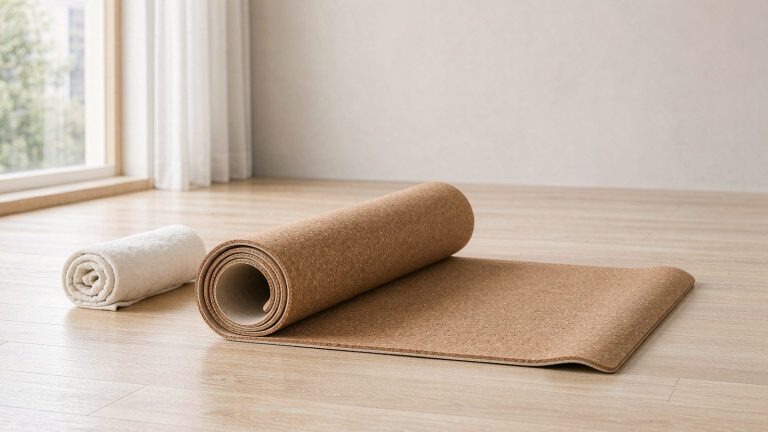
- A standing mat (anti-fatigue, 2 cm thick) makes far more difference than a more expensive frame, if you stand for more than 20 minutes at a time.
- A monitor at eye height in both positions requires a monitor arm, because a monitor that is right when seated is 25 cm too low when standing. If you buy one accessory, buy the arm.
- Footwear or barefoot. Cushioned shoes make standing tolerable short-term and reduce proprioceptive input; flat, firm footwear or barefoot with a mat is better for long sessions.
What to look for
| Feature | Target | Why |
|---|---|---|
| Height range | Covers your seated and standing height with ≥ 5 cm margin | Most returns are sizing errors |
| Minimum height | Below your seated height — check this first | Many frames bottom out at 72 cm |
| Legs | Four-leg, or two-leg with crossbar, for tall users | Lateral stability |
| Stages | Three-stage if you are tall or need low minimum | Range and collapsed height |
| Motor | Dual motor, duty cycle stated | Longevity and noise |
| Load rating | Desk top + ≥ 40 kg of equipment | Ratings usually exclude the top |
| Presets | 4, with anti-collision | Determines whether you actually adjust it |
| Noise | Under 50 dB | A desk that wakes the house gets used less |
| Cable management | Included, not an accessory | Cables snag on the frame and wear |
| Warranty | Frame 5+ years, electronics 2+ years, exclusions read | Electronics are what fail |
The warranty exclusions are worth reading properly. Common ones: the control box and motors are covered for a shorter period than the frame, “normal wear” includes the glides, and commercial use voids coverage. A “10-year warranty” that covers the steel and not the motor is a 2-year warranty on the part that breaks.
Assembly and the thing nobody mentions
Most frames arrive as two legs, a crossbar, a control box, and a bag of bolts, and take 45 to 90 minutes with two people. Desks with pre-drilled tops and a hinge-assist for flipping are substantially easier.
The more important point: the desktop is usually sold separately, and the weight matters. A solid wood top at 160 × 80 cm can weigh 30 kg or more, which eats into your load rating and makes assembly a two-person job. A 25 mm particleboard top with laminate is lighter and perfectly adequate.
FAQ
Is standing all day better than sitting all day? No. Prolonged standing has its own problems — varicose veins, foot and lower back discomfort. The evidence supports alternating, not replacing.
Do standing desks help back pain? They help by enabling position changes, not by standing per se. The benefit disappears if you stand still for hours. See our guide to office chairs for back pain for the seated half of the equation.
How much should I spend? The step that matters is from a fixed desk to any adjustable one. Above the mid-range, you are paying for stability at full height, quieter motors, and better warranty terms.
Can I put a standing desk on carpet? Yes, but expect more lateral rock. Wide glides or a hard floor mat under the desk help.
Do I need a treadmill under it? No, and walking while typing is harder than it looks. A walking pad used for calls rather than typing is the more realistic version.
Will it hold two monitors? Check the load rating including the top, and use a clamped arm rated for the combined weight. Two 27-inch monitors plus arms is easily 20 kg, well before the PC and the desk lamp.